
How to login to Attendance Service CMS
School Kaimahi
For Attendance Lead, Primary Contact or Office Support at a school
Click on the Log in button at the top right corner of this page
You will be taken to the Online services for education organisations site, showing the Attendance Service page. Click on Log in on the page to bring up the ESL log in.
Click on the Log in with ESL button at the top of the page.
You will be taken to the Education Sector Logon screen.
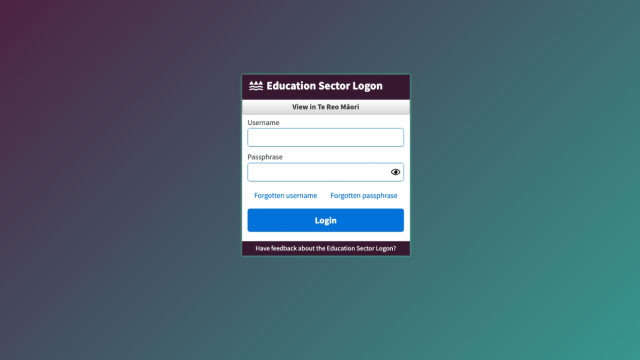
Enter your ESL Username and ESL Password and then select the Login button.
You may be asked to verify your identity using Multifactor Authentication on ESL. Provide the correct verification code from your authenticator app and click on the Verify button.
You will be taken back to the Attendance Service page, where you can interact with your requests and cases from your school.