Application Submission Overview and Guide
Submissions
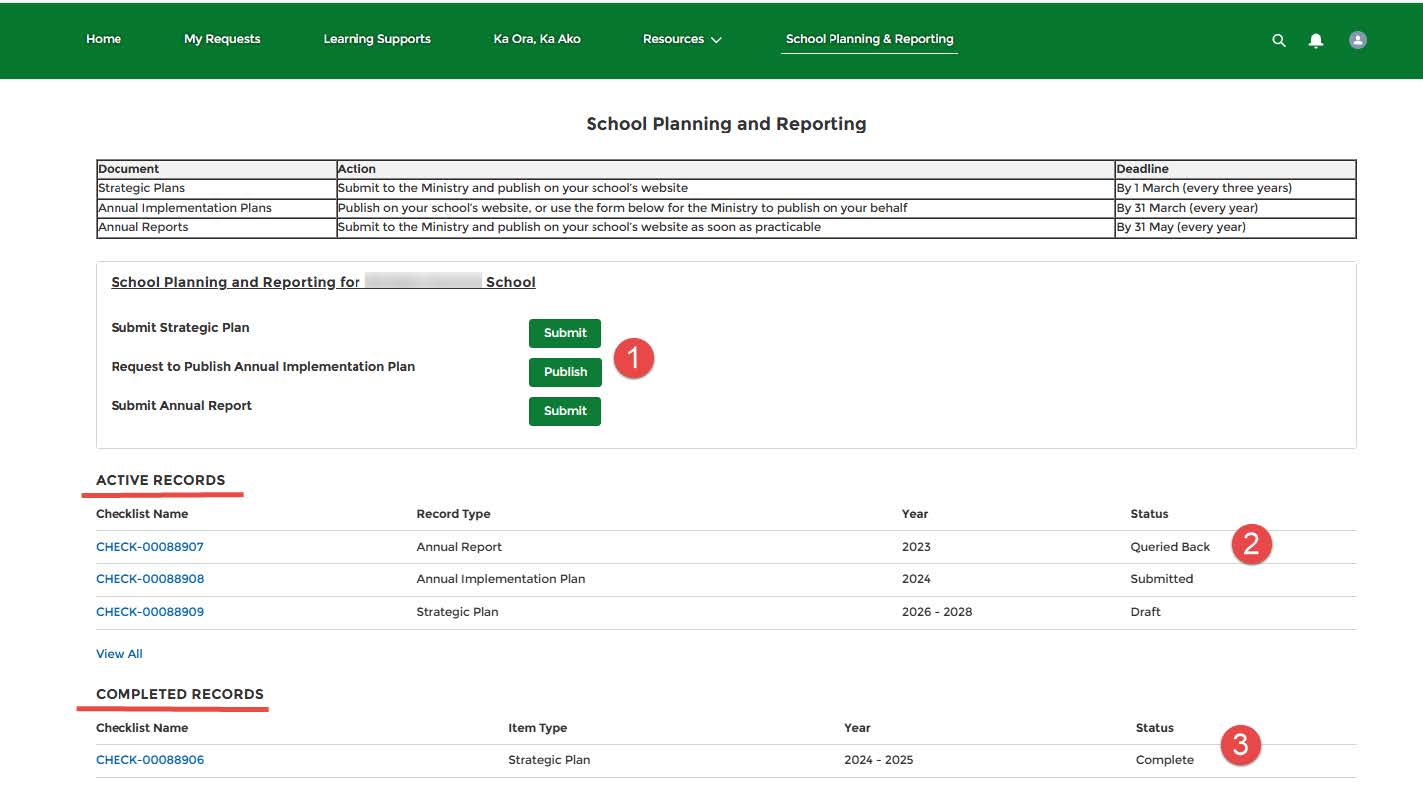
Instructions for using the School Planning and Reporting Application. You can also find a file to download these instructions at the bottom of this page.
Overview
Note: Your annual implementation plan does not need to be submitted to the Ministry if you do not need the Ministry to publish online for you.
Submitting your documents
This is where you submit your documents to the Ministry. You can submit a strategic plan or annual report, or you can request the Ministry publish your annual implementation plan online (for those schools that do not have their own websites).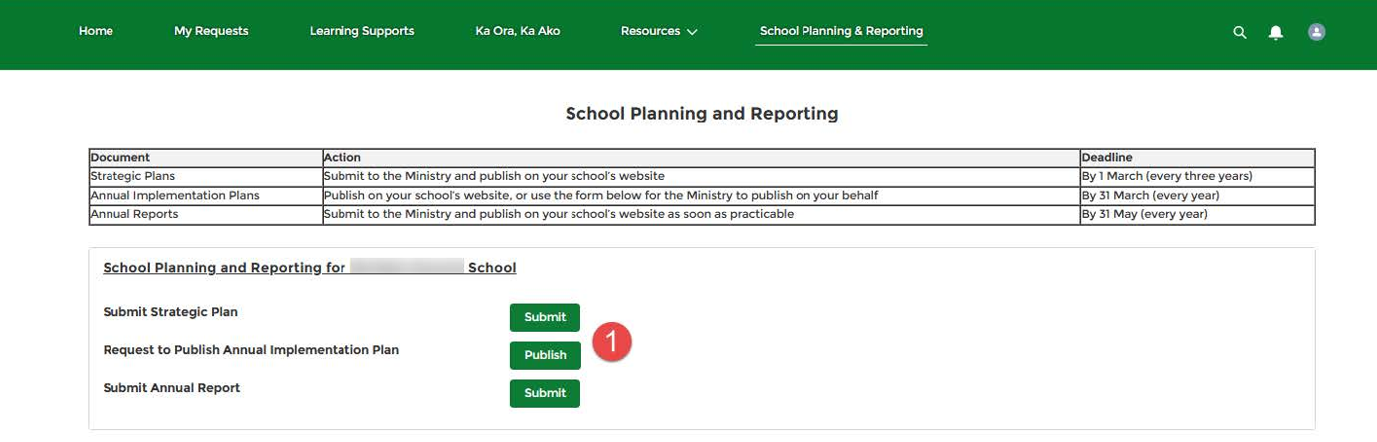
Active
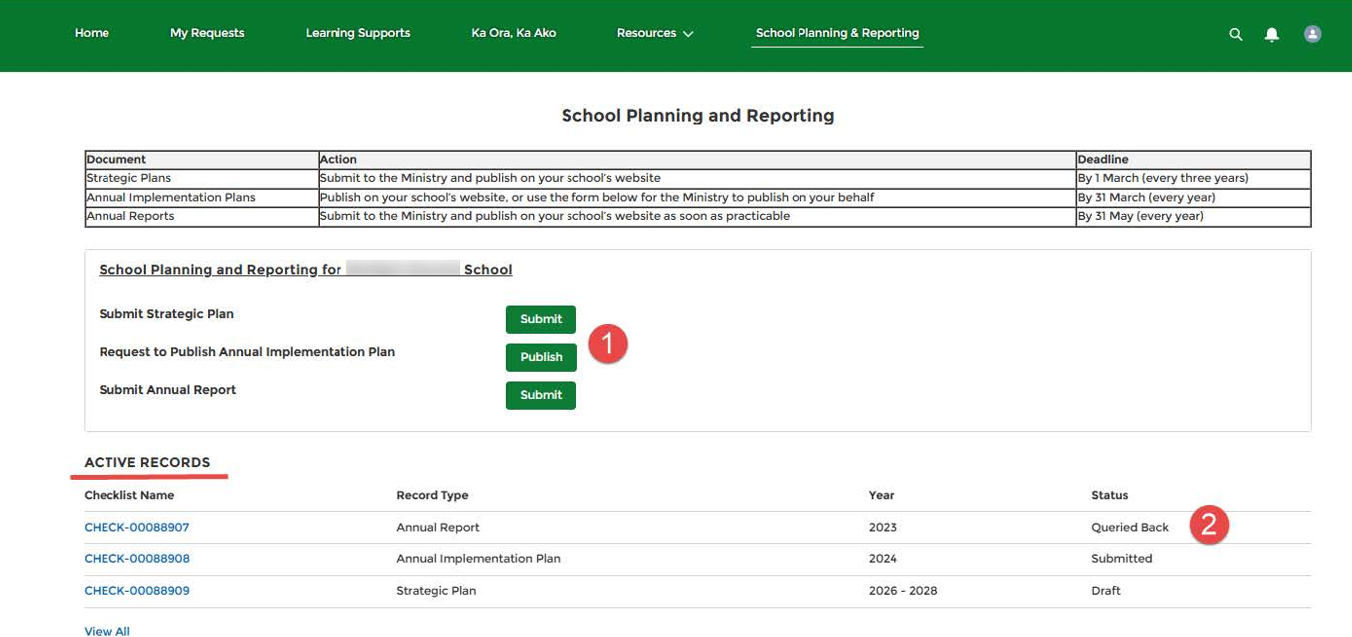
These are all the active records for documents you have submitted and their status. The different status options are:
• Draft – You have started a new record but have not submitted it yet
• Submitted – You have submitted a record to the Ministry
• Queried Back – You have submitted a record to the Ministry, and Ministry staff have sent the record back to you because there is something that needs your attention (for example, if there is something missing).
• MOE Ready to Publish – You have submitted a record to the Ministry and requested that your document is published on Education Counts because you do not have your own school website. The Ministry is in the process of publishing your document on Education Counts.
Completed
These are all the records you have submitted to the Ministry that are complete. You have submitted all the required components for the record and your document is published online.