Responding to a record that has been ‘Queried Back’
Select the Record
The Ministry may ‘Query Back’ a record to you that needs your attention. For example, you have forgotten to submit a required component of your annual report. Below are the steps you need to take if you have a record that is ‘Queried Back’ to you.
Select the record with the ‘Queried Back’ status.

1
Read Comment
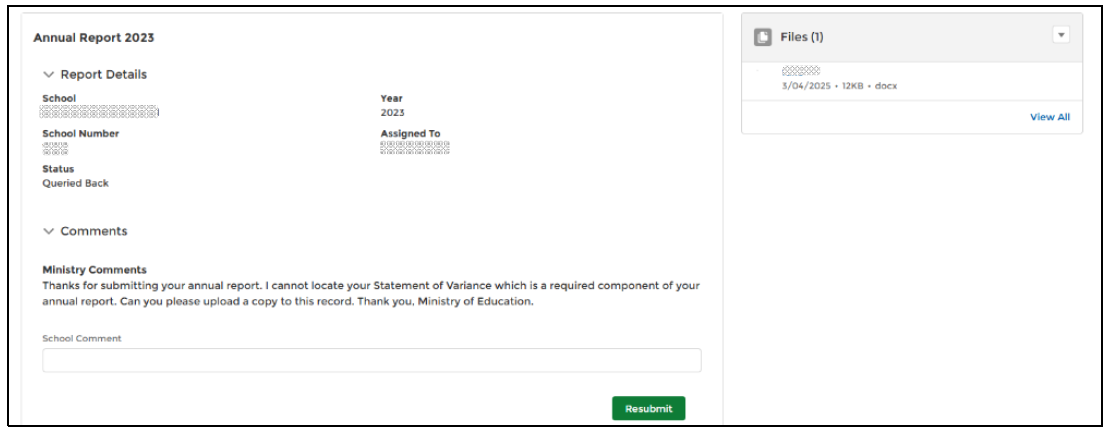
Read the Ministry Comments and amend record as appropriate. If you need to upload an additional file you can do this now.
2
Optional Step
Record a comment in the ‘School Comment’ section. This will be visible to Ministry of Education staff.
3
Resubmit
Select ‘Resubmit
’